Technology · Sheet T-01
A CMMS for property management, included with the service
A CMMS (computerized maintenance management system) is where facility work either becomes accountable or disappears. Levaru's is our own maintenance management software, included with every facility management and property management engagement: no software license and no per-seat fees. The team that maintains your building runs it, and you see the record through the client portal.
Work orders
Photos and a status history
Each request our staff accept becomes a work order: what, where, which asset and by when. Technicians attach before-and-after photos from the field, and every status change is recorded with its time. The history stays with the building and the asset.
QR asset labels
Scan the machine, see its record
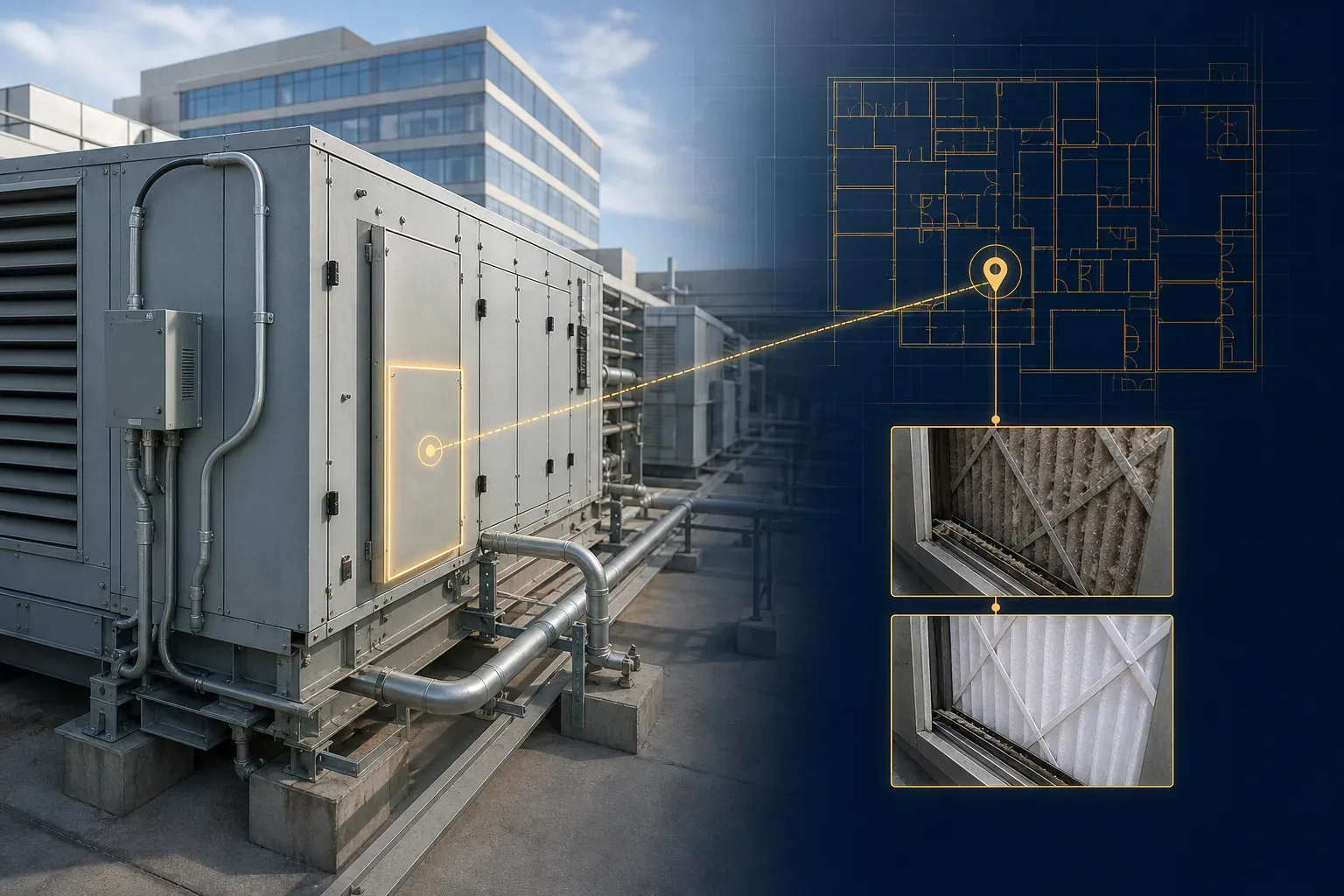
Major equipment gets a QR label that opens its record: model, notes, work orders, photos and documents. New technicians stop guessing. Owners with a portal seat can scan the same label on a site walk.
Preventive maintenance
Schedules that create the work
PM schedules generate work orders automatically, with checklists: filter changes, coil cleanings, inspections. Missed PM shows up in reporting, not at renewal time.
How it works
Work order software for commercial buildings: how does a job move?
Jobs follow the same path, so the record does not depend on someone's inbox or memory.
- Request. A tenant, an owner or our own staff reports a problem with photos and a location: the building, the room, the asset or a pin on the floor plan. Tenants can use the portal, scan a QR label, or use a request form that needs no login.
- Review. Our staff review the request against your service levels and convert it to a work order. If you have an SLA policy, the work order carries respond-by and resolve-by targets.
- Field work. Technicians use an installable mobile web app to scan QR labels, work through checklists, take before-and-after photos and record meter readings. Core field actions queue when the signal drops and sync after reconnecting.
- Close-out. The status history shows each step with its time, so you can see whether the targets were met. The person who made the request gets status emails.
- Reporting. Each month we send a report: work completed, what you were billed, and performance against agreed service levels.
Preventive maintenance follows the same path from step three: the schedule creates the work order, so planned work is recorded the same way as repairs. That is the backbone of our preventive maintenance programs.
Scope
What is in the platform?
This is full maintenance management software, not a request form with a dashboard. Owners see the work records; the last group stays on the staff side.
Requests and work orders
Intake with photos and location, review, dispatch, checklists and a status history.
Preventive maintenance
Schedules that generate work orders automatically, with checklists.
Assets, rooms and QR labels
An asset register where each label opens the asset record.
Floor plans and pins
Assets pinned on your plans; work orders link to the asset, room or pin.
Inspections
Pass/fail checklists with photos, open findings and a pass rate.
Meters
Meter readings recorded from the field app, visible to owners.
SLA policies
Respond-by and resolve-by targets on every work order they apply to.
Reports
PM completion, work done and billed spend by building.
Staff side
Parts, purchase orders, vendors, safety logs, analytics and capital planning.
Maintenance management software included vs. a CMMS license
This compares two ways to buy, not product quality. Many standalone CMMS products are capable tools. The question is whether software is the product or part of a managed service.
| Question | Levaru, included with service | Standalone CMMS license |
|---|---|---|
| What you buy | A managed-building engagement. The CMMS, owner portal and field app come with it. | A software subscription. You supply the people who run it and do the work. |
| Software cost | No software license and no per-seat fees. | Often priced per user or by feature tier. Setup may cost extra. |
| Setup | We build the asset register, QR labels, PM schedules and SLA targets during onboarding. | Your team, or a paid implementation partner, does the setup. |
| Who keeps it current | The technicians and managers who maintain your building. | Whoever you assign. Records drift when nobody owns them. |
| Owner view | Portal seats fenced to your buildings, read-only apart from submitting service requests. | Depends on the product and on the seats you pay for. |
| Best fit | Owners who want the work and the record under one accountable partner. | Organizations with their own maintenance team that want to run the tool. |
If you already run maintenance in-house, a software subscription may well cost less, and you should buy it. Read what "included" really means before you compare quotes.
Why our own
Why does a CMMS for property management need an owner's view?

Generic CMMS products are built for maintenance departments, not building owners. Photos sit deep in a ticket, the floor plan lives somewhere else, and the owner rarely gets a login. We wanted the opposite: a system where the owner's view is the point.
That's why assets can be pinned on your floor plans and work orders link to the asset, room or plan pin they concern, and why the same platform hosts your 360° walkthroughs and 360° documentation. Owners see the work records and tours through the client portal, included with every engagement.
The same record carries compliance work. Inspection reports, certificates and correction photos attach to the QR-labeled asset they concern, so a compliance inspection leaves a trail you can find again.
Your data
What happens to your records if you leave?
It's your data, not our leverage. Owners can export the asset register and work-order history as Excel files from the web app at any time. The work-order export is a list: it does not include the photos. At offboarding we hand over spreadsheet exports of your work-order history and asset register, plus the documents and photos on file, and we export the vendor list and parts inventory on request.
If you keep your own CMMS alongside ours, we can typically provide exports and periodic reporting that feed it. For the full picture of what to ask any provider, see what a CMMS is and why it matters and our QR asset tagging guide.
FAQ
CMMS platform — common questions
Do I have to buy CMMS software to work with Levaru?
No. The platform is part of the service, not a separate product. Every facility management and property management engagement includes it, with no software license and no per-seat fees. You get the visibility; we run the software.
Can I buy the CMMS on its own?
No. It is not sold as standalone software. If your own maintenance team wants a tool it can configure and run, a standalone CMMS is the more direct choice. Our affordable CMMS alternatives guide explains how to compare the two models.
Can my tenants submit maintenance requests directly?
Yes. Tenants submit requests with photos through the client portal, or by scanning a QR label or using a request form without logging in. Our staff review each request and convert it to a work order. Tenants follow the status until the job is done; owners also see the work-order photos.
What are the QR asset labels for?
Each major asset, such as a rooftop unit, pump, panel or water heater, gets a QR label that opens its record: model, notes, work orders, photos and documents. You must be signed in to see the record. A scan by someone who is not signed in opens a report-a-problem form instead.
How are response times tracked?
SLA policies set respond-by and resolve-by targets for each work order they cover, and every status change is recorded with its time. We set the targets from the service levels in your agreement, so you can check performance in the record rather than take our word for it.
Can I export my building data if we part ways?
Yes. Owners can export the asset register and work-order history as Excel files from the web app at any time. At offboarding we hand over those exports plus the documents and photos on file. We export the vendor list and parts inventory for you on request.
Next step
See the CMMS with your building in it. Ask us for a proposal.
Curious how it works? See how our 360° walkthroughs work →