
Insights
What Is a CMMS? (And Why Our Clients Get One Free)
Levaru Operations Team
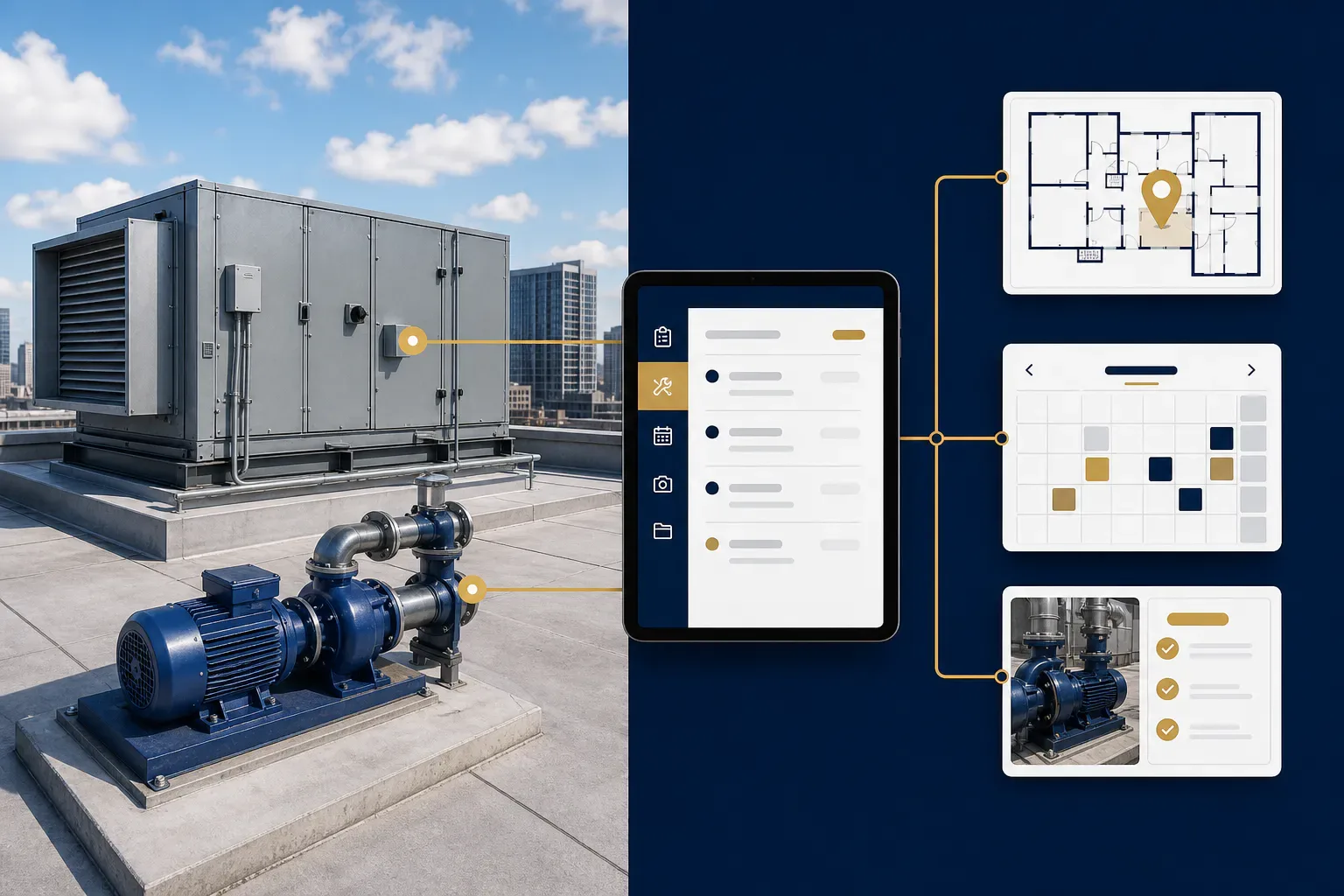
A CMMS — computerized maintenance management system — is software that keeps track of everything maintenance-related in a building: every piece of equipment, every work order, every scheduled preventive maintenance task, and the full history of what was done, when, by whom, and what it cost. That’s the entire concept. The acronym sounds like enterprise bloatware; the reality is a shared memory for your building.
If you’re searching “what is a CMMS,” odds are you’re managing maintenance the way most small and mid-size commercial buildings do: work requests arrive by phone call and email, the equipment list lives in a spreadsheet last updated two managers ago, PM happens when a vendor remembers, and the answer to “how much have we spent on that rooftop unit?” is an afternoon of digging through invoices. A CMMS replaces all of that with one system of record.
This article explains what the software actually does in plain English, what it typically costs to buy, and the honest version of an argument we obviously have a stake in: why paying for standalone CMMS software often makes less sense than working with a service provider who includes one. Levaru clients get our CMMS platform at no charge with a service contract — we’ll lay out exactly why that model works and where its limits are.
What does a CMMS actually do?
A CMMS does four jobs: it tracks work orders, schedules preventive maintenance automatically, maintains a per-asset equipment history, and turns all of that into reportable data. Everything else in any vendor’s feature list is an elaboration of those four.
Work orders. Every request — tenant complaint, technician finding, inspection item — becomes a tracked ticket with a description, priority, assignee, and status. Nothing lives in someone’s voicemail. When the ticket closes, the record of what was done (ideally with photos) stays attached to the building forever. The immediate, unglamorous win: “did anyone ever handle that leak on 3?” becomes a ten-second lookup instead of an argument.
PM scheduling. You define recurring tasks — quarterly HVAC service, monthly generator test, annual backflow certification — and the system generates the work orders on schedule, forever, without anyone remembering anything. This is the feature that changes buildings, because it converts preventive maintenance from an intention into a queue. Compliance items with legal deadlines get the same treatment, which is why a populated CMMS doubles as a building’s compliance calendar.
Asset history. Every significant piece of equipment gets a record: make, model, serial, install date, warranty, and every work order ever attached to it. Over time this becomes the most valuable data an owner has, because it answers the repair-or-replace question with numbers instead of vibes — you can see that RTU-4 has consumed $9,000 in repairs over three years and stop feeding it.
Reporting. Spend by asset, by building, by trade; open-versus-closed rates; PM completion percentage; the reactive-to-planned work ratio that tells you whether a building is being maintained or merely rescued.
How do QR asset tags fit in?
QR tags are what make a CMMS usable in the field instead of just in the office: a coded tag on each piece of equipment links physically to its digital record. A technician on the roof scans the tag on a rooftop unit and sees its full history — filter sizes, past repairs, open issues, refrigerant log — before touching a panel. No tribal knowledge, no starting from zero because a different tech showed up this quarter.
Tags fix the two failure points of every paper-and-spreadsheet system: identification and capture. Identification, because “the middle rooftop unit” is ambiguous and RTU-3’s tag is not — work history stops getting logged against the wrong machine. Capture, because the technician records findings and photos at the equipment, in the moment, instead of reconstructing them from memory in the truck. Data captured at the asset is accurate; data reconstructed later is fiction with a timestamp. Building staff and even tenants can use the same mechanism to report issues against the right asset. It’s a deep enough topic that we’ve written a separate QR code asset tagging guide covering tag selection, numbering schemes, and rollout.
Why does a CMMS matter for preventive maintenance?
Because preventive maintenance lives or dies on consistency, and consistency is exactly what software provides and humans don’t. A PM program run from memory and good intentions decays the first busy month; a PM program run from a CMMS generates its work orders regardless of who’s busy, who quit, or who forgot. The system also creates accountability in both directions — skipped or late PMs are visible in the completion rate, so decay shows up in a report instead of in a breakdown.
The payoff of actually sustaining planned maintenance is one of the better-documented findings in facilities research:
A functional preventive maintenance program can yield savings of 12% to 18% on average over reactive maintenance — U.S. Department of Energy, Federal Energy Management Program, O&M Best Practices Guide.
Reactive-heavy operations pay for failures at their worst moment: overtime labor, expedited parts, collateral damage, and tenant disruption on top of the repair itself. The CMMS is not what saves the money — the maintenance is — but the CMMS is what keeps the maintenance happening after the initial enthusiasm fades. It’s the difference between a preventive maintenance program and a preventive maintenance binder.
What does a CMMS cost to buy?
Standalone commercial CMMS platforms typically run $35 to $150 per user per month for small-to-mid-market products, with enterprise systems higher — but the subscription is the smallest line in the true cost. Budget realistically for the parts vendors don’t put on the pricing page: initial setup and data population (building the asset registry, defining PM schedules, tagging equipment — days to weeks of real work), training for everyone who touches it, and the ongoing discipline of keeping data current.
That last item is the graveyard. The industry’s open secret is that a large share of CMMS implementations effectively fail — not because the software breaks, but because data entry decays. Technicians close work orders with one-word notes or stop logging entirely, new equipment never gets added, and within eighteen months the system is a stale mirror of a building that has moved on. A CMMS is only as good as the habits of the people feeding it, and for a small in-house team wearing five hats, feeding it reliably is genuinely hard. Anyone selling you the software without saying this is selling you shelfware with a login page.
So the real buy decision isn’t “which CMMS” — it’s “who is going to populate and maintain this, every week, for years?” If you have a staffed, disciplined maintenance operation, buying one directly can work well. If you don’t, there’s a different model.
Why does Levaru include a CMMS free with service contracts?
Because the CMMS is how we deliver the work, not an add-on to it — so every Levaru service client gets our CMMS platform at no additional charge. Our technicians run on it natively: every asset we maintain carries a QR tag, every visit opens and closes as a work order, every PM generates from a schedule in the system, and every closure includes photos. The client sees all of it through the portal — live work-order status, complete asset histories, PM completion, spend by asset.
This model dissolves the failure mode from the previous section. The data stays current because the people doing the maintenance are the people entering the data, as a condition of the work being considered done — you don’t pay a subscription and then hope your team builds the habit. It also removes the setup burden: asset registry, tagging, and PM schedules get built during onboarding because we need them to run the account. And candidly, it keeps us honest — a client who can see every work order, timestamp, and photo doesn’t have to take our word for what happened on the roof. You can see how the platform works at our CMMS platform page.
The honest trade-offs: an included CMMS is tied to the service relationship — it’s the system of record for work we perform, not a general-purpose license for managing unrelated vendors (though findings anyone reports can flow into it). And if you ever leave, you should ask any provider — including us — how you get your data out. Asset histories belong to the building, and any provider who treats exported maintenance history as a hostage is telling you something. But for owners and property managers who want the outcome — documented, scheduled, verifiable maintenance — without buying software, staffing data entry, and policing adoption, service-included CMMS is simply the better-aligned model: we’re not selling the tool, we’re accountable for what the tool records.
Frequently asked questions
What does CMMS stand for?
CMMS stands for computerized maintenance management system. It’s software that tracks work orders, schedules preventive maintenance, and maintains the history of every asset in a building — a single system of record for maintenance. You’ll also see EAM (enterprise asset management), which is essentially a CMMS extended with capital planning and financials for large portfolios.
What is the difference between a CMMS and a work order system?
A work order system only tracks requests and their status. A CMMS adds the asset registry underneath — so work attaches to specific equipment — plus automatic PM scheduling and per-asset cost history. The distinction matters most over time: a work order system tells you what’s open this week, while a CMMS tells you which rooftop unit has quietly consumed three compressors and should be replaced.
How much does a CMMS cost?
Standalone platforms typically run $35–$150 per user per month for small and mid-market products, with enterprise tiers above that. The larger costs are implementation and upkeep: building the asset registry, tagging equipment, defining PM schedules, and sustaining accurate data entry for years. Service-included models like Levaru’s eliminate the subscription and the data-discipline burden because the provider’s technicians maintain the system as part of delivering the work.
Do small buildings really need a CMMS?
If the building has equipment with maintenance schedules and compliance deadlines — and every commercial building does — then yes, something has to track them, and spreadsheets decay. Small buildings arguably benefit most, because they lack the staff redundancy that lets larger operations survive informal systems. The practical question for a small building isn’t whether to have a CMMS, but whether to run one in-house or get it included through a maintenance provider.
Is the CMMS really free for Levaru clients?
Yes — the platform is included with a service contract at no separate software charge, because it’s the system we use to deliver and document the work. Clients get portal access to live work orders, QR-tagged asset histories, PM schedules, and photo-verified completion records. There’s no version of our service that runs without it, so there’s nothing to unbundle.