
Facility management technology
Facility management technology that shows you your building
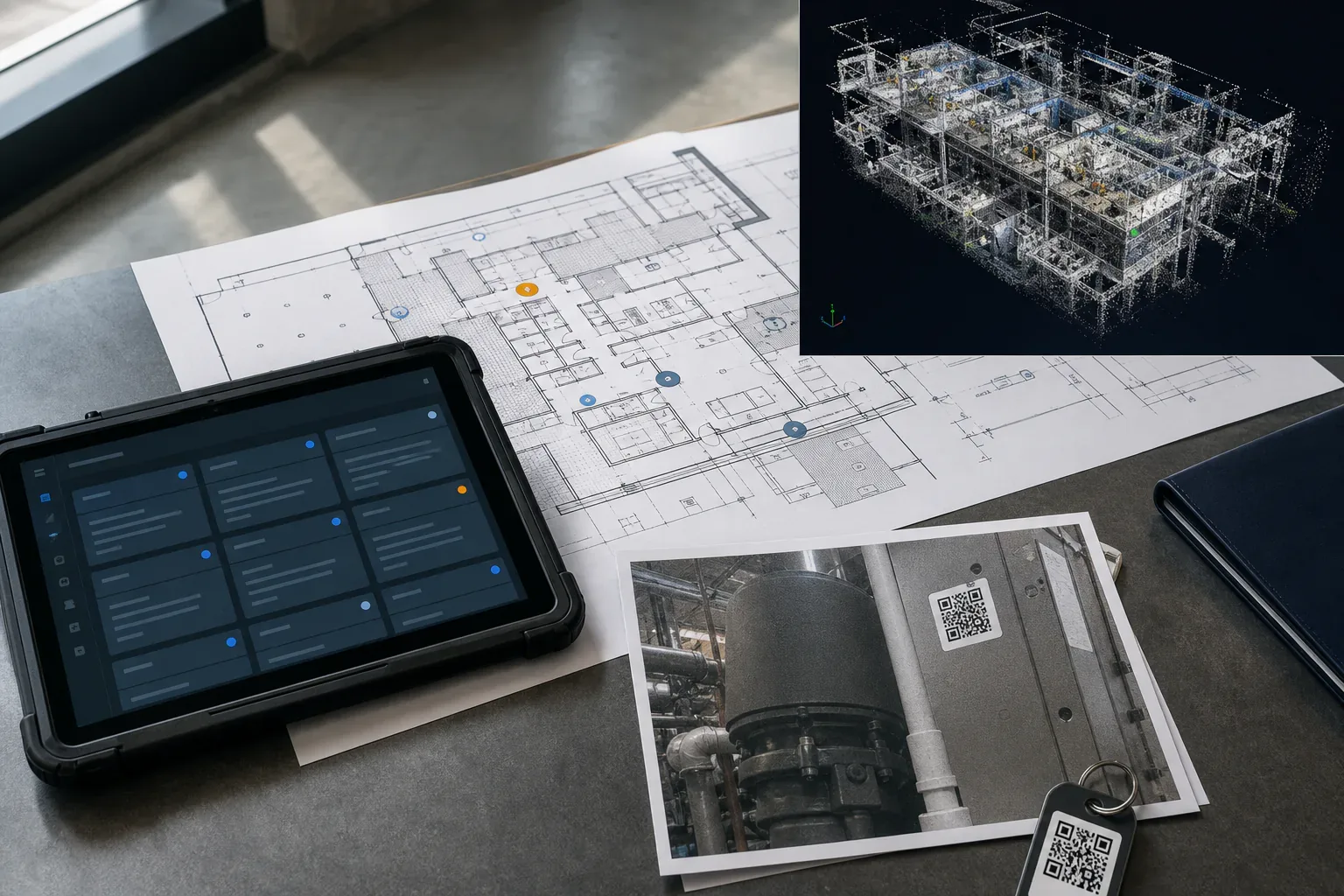
Most FM firms send you invoices. We show you the work. Levaru runs its own building platform at app.levaru.co and includes it with every engagement. It has four parts: a CMMS where the maintenance work is recorded, a client portal where owners see that work, 360° photo documentation of the spaces that matter, and 360° walkthroughs of each floor. Together they form a visual record of your building that you can open from anywhere.
Sheet T-01
CMMS Platform
Work requests, work orders, preventive maintenance schedules and QR-labeled asset records, run by the team that maintains your building.
Explore →Sheet T-02
360° Walkthroughs
A 360° photo tour of each floor, placed on your floor plan. Click to step between points, look in any direction, and share an expiring, view-only link.
Explore →Sheet T-03
360° Documentation
360° captures of mechanical rooms, roofs, risers and tenant suites, filed under the building with the date each one was published.
Explore →Sheet T-04
Client Portal
Owner seats fenced to your buildings: see the work and send service requests. Tenants get a simple way to report problems with photos and follow them to done.
Explore →Definitions
What is a digital twin for buildings, in plain terms?
"Digital twin" is used loosely. Some vendors mean a BIM model built for design. Others mean a dashboard fed by sensors. At Levaru it means something narrower and more useful for day-to-day operations: a visual record of the building, tied to its maintenance record. It has four layers:
- 360° photo tours of each floor. We capture each floor with a 360° camera and place the photos on the building's floor plan, so you can step from point to point in a browser.
- 360° captures of key spaces. Mechanical rooms, roofs, risers and suites, filed under the building with the date each capture was published.
- Asset records with QR labels. Each major piece of equipment gets a record with its work orders, photos and documents.
- Work orders tied to place. Assets can be pinned on your floor plans, and work orders link to the asset, room or plan pin they concern.
It is not a BIM or CAD model and not a live sensor feed. It is an organized photographic and maintenance record that grows as work is done. That is enough to answer most of the questions an owner actually asks: what does that space look like, what was done to that unit, and when.
Why it matters
Why does facility management technology matter to an owner?
When your facility partner holds all the information about your building, every renewal conversation starts from trust alone. Our answer is to hand you the evidence: work orders with photos and a time-stamped status history, preventive maintenance with its completion record, inspection results and, once captured, a 360° record of the building you can open at any time.
It also changes how problems get solved. When a rooftop unit fails, its asset record shows the past work orders, photos and documents for that unit. The repair-or-replace conversation starts from facts, not memory.
The platform comes with the service. There is no software license to buy and there are no per-seat fees. It is how we work, included for every facility management and property management client.
Access
Who sees what on the platform?
Access follows roles. Each person sees what their role needs, and the server enforces it, not a setting in someone's browser.
Owners and your team
Seats fenced to your buildings
Work orders with photos and status history, PM schedules and completion, inspection results, asset histories, meters, invoices, quotes, the contract and the 360° tours. You see billed amounts, not our costs. Seats are read-only, apart from submitting service requests with photos.
Tenants
A request path, not a back office
Tenants report problems with photos through the portal or a QR code, then follow the status by email and a status page. They do not see work orders, owner financials or other tenants.
Outside parties
Expiring links to a tour
Lenders, insurers, brokers and contractors can get an expiring, view-only link to a published 360° tour. No login is needed, restricted areas stay locked, and we can revoke the link at any time.
Levaru staff
The full operating record
Our team works in the same system: vendors and insurance certificates, parts, purchase orders, capital plans, analytics and safety logs stay on the staff side. Only Levaru staff see a full tour.
Limits
What should you not expect from it?
- A tour is a set of still photos from the day of capture, not a live camera. We re-capture after significant changes.
- Owner seats are read-only, apart from submitting service requests. Levaru staff carry out and record the work; you see it and can export it.
- Some records stay staff-side, such as vendors, parts and capital plans. Ask us when you need one of them.
- The platform is not sold on its own. It comes with a Levaru management engagement.
Compare
How is this different from buying the tools yourself?
The usual alternative is three purchases: a CMMS license for whoever runs maintenance, a separate tour or photo vendor, and an FM provider with its own system. That gives you three records and three logins, and someone has to keep them in step. The tour ages on one platform while the work orders pile up on another.
With Levaru, the team that maintains the building keeps one record, and you see it. The trade-off is plain: the platform is part of a managed service, not a product you configure yourself. If you already employ a maintenance team that wants its own tool, standalone software may cost less. Our affordable CMMS alternatives guide covers that choice, and in-house vs. outsourced FM covers the bigger one.
What every engagement includes
- 1. A walk of the building and QR labels on the major assets.
- 2. Preventive maintenance schedules loaded into the CMMS.
- 3. Response and resolution targets set from the service levels in your agreement.
- 4. 360° capture of each floor and the key spaces.
- 5. Portal seats for the people you name.
For clients
Already a Levaru client?
Your portal is at app.levaru.co: work orders, 360° tours, inspections and invoices for your buildings, in one place.
Client loginFAQ
Facility management technology — common questions
What does Levaru mean by a digital twin for buildings?
A visual and maintenance record of the building: 360° photo tours of each floor placed on the floor plan, 360° captures of key spaces, and the asset and work-order history in our CMMS. It is not a BIM or CAD model and not a live sensor feed. It is an organized record you can open from a browser.
Do I pay for the software separately?
No. The platform comes with every Levaru facility management and property management engagement. There is no software license to buy and there are no per-seat fees. It is not sold as standalone software.
Does every building I own already have a 360° tour?
Not until we capture it. Every engagement includes 360° capture: we photograph each floor with a 360° camera during onboarding, place the photos on your floor plan and publish the tour to your portal. Until then, we can explain on a short call how capture, the floor-plan view and share links work.
Can I see everything Levaru sees?
Not everything. Owner seats show the work, the schedules, inspections, assets, invoices and tours for your buildings. Vendors, parts, purchase orders, capital plans, analytics, safety logs, the building document register and our cost basis stay on the staff side. Ask your Levaru manager when you need something from that list.
Can I take my data with me if we part ways?
Yes. Owners can export the asset register and work-order history as Excel files from the web app at any time. At offboarding we hand over those exports plus the documents and photos on file. On request, we also export the vendor list and parts inventory for you.
Where do I log in?
The portal is at app.levaru.co. We issue credentials during onboarding. If you are an active client and cannot reach your account, call +1 (703) 646-8300.
Next step
Want a visual record of your building? It comes with the service.
Curious how it works? See how our 360° walkthroughs work →
